



For organizations developing regulated products, risk management and testing are closely connected. Every identified risk must be assessed, mitigated, verified, and documented to support compliance requirements and release decisions.
Yet these activities often happen in separate systems. Risk assessments may live in dedicated risk management tools or spreadsheets, and testing is usually managed elsewhere. As a result, teams can struggle to maintain a clear link between risks, controls, requirements, and verification activities.
SoftComply and Xray address this challenge inside Jira Cloud, allowing this integration to connect risks, mitigate actions, test cases, and results in one environment, giving teams a more structured way to manage risk-based testing and understand coverage.
SoftComply and Xray for risk-based testing in regulated environments
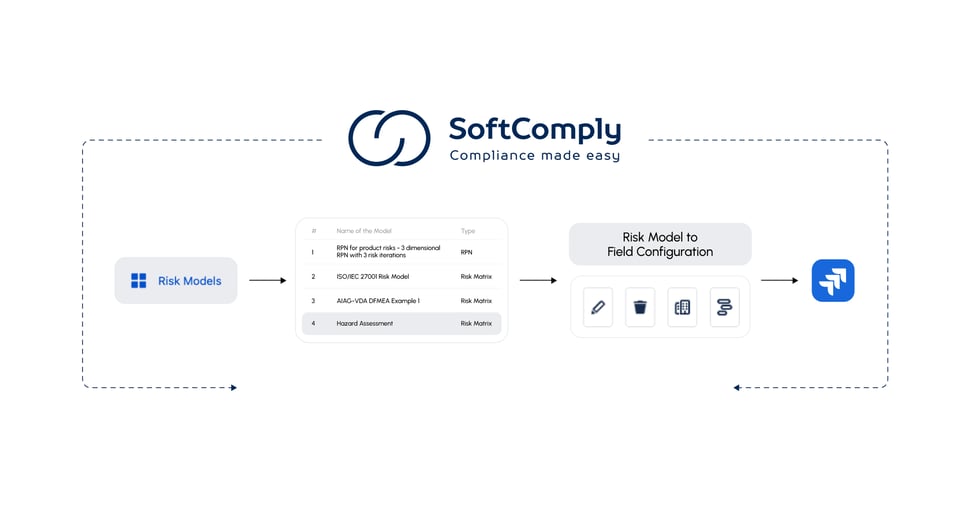
SoftComply Risk Manager Plus is a Jira-native risk management solution built for regulated product development. It supports configurable risk models, automated scoring, impact assessment, and traceable risk mitigation planning. The solution is aligned with standards such as ISO 14971, ISO 27001, and IEC 62304.
Xray adds test management capabilities directly in Jira. Teams can plan, execute, and report on manual and automated testing activities, with clear visibility into test coverage across the development lifecycle.
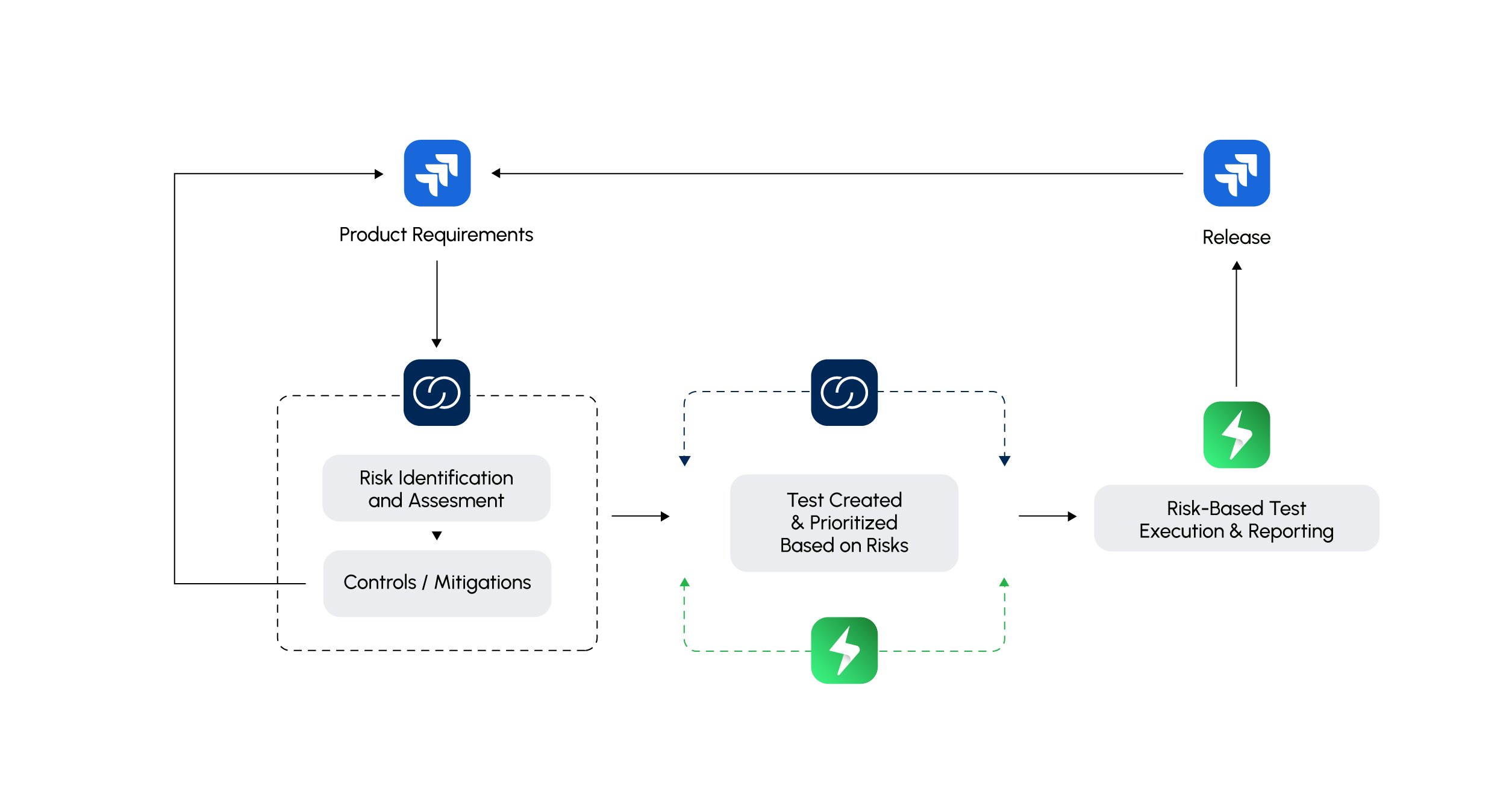
Together, SoftComply and Xray create a connected workflow from initial risk assessment to verification and release. Risks can be linked to mitigation actions, mitigations can be connected to requirements, and tests can then verify whether those controls work as intended.
This approach is especially relevant for organizations in regulated industries such as medical devices, healthcare, fintech, and enterprise software, where traceability is often a key compliance requirement.
The challenge of connecting risk management and testing
Risk-based testing focuses testing effort on the areas where failures would have the greatest impact. In practice, this becomes difficult when risk management and testing are disconnected.
Many organizations face the same challenges:
- Risks are managed separately from testing activities.
- Traceability between risks and verification work is difficult to maintain.
- Testing resources are not always prioritized according to risk exposure.
- Audit preparation requires significant manual effort.
- Teams lack visibility into which risks have been properly verified.
As products become more complex and release cycles accelerate, teams need a clearer way to connect risks, mitigations, requirements, and tests. A centralized workflow in Jira Cloud gives teams better visibility into risk coverage and helps them focus testing efforts on the areas that matter most.
Key benefits of the SoftComply and Xray integration
The integration between SoftComply Risk Manager Plus and Xray supports regulated teams in several key areas:
-
Complete traceability
Teams can link risks, mitigation actions, requirements, test cases, and results across the development lifecycle. This helps ensure that critical risks are not left unverified. -
Risk coverage visibility
Teams can quickly identify which risks have been mitigated, which controls are in place, and which areas still need verification. -
More efficient test prioritization
Testing effort can be focused on high-risk areas, helping teams use resources more effectively and reduce unnecessary testing overhead. -
Simplified compliance readiness
Teams can generate audit-ready documentation and support standards such as ISO 13485, ISO 27001, FDA 21 CFR 820, ISO 14971, and IEC 62304. -
Integrated workflows in Jira Cloud
Risk assessments, testing activities, reporting, and traceability are managed in the same environment, reducing the need to switch between tools.
How risk-based testing works in Jira Cloud
The SoftComply and Xray integration supports a complete risk-based testing workflow directly in Jira.
Define and assess risks
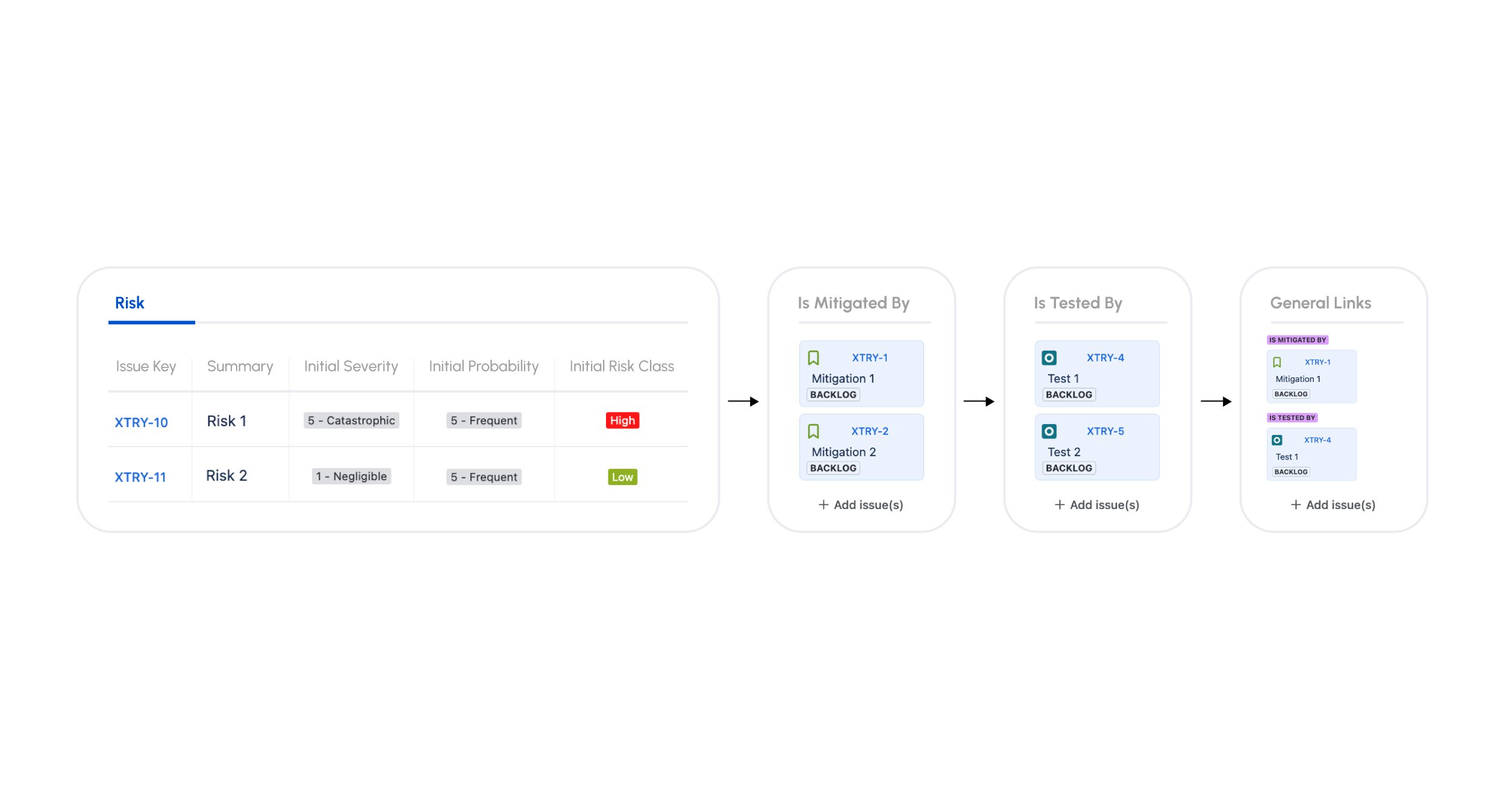
The process starts in SoftComply Risk Manager Plus. Teams identify and assess risks based on product requirements, system design, historical defects, known failure modes, or regulatory requirements.
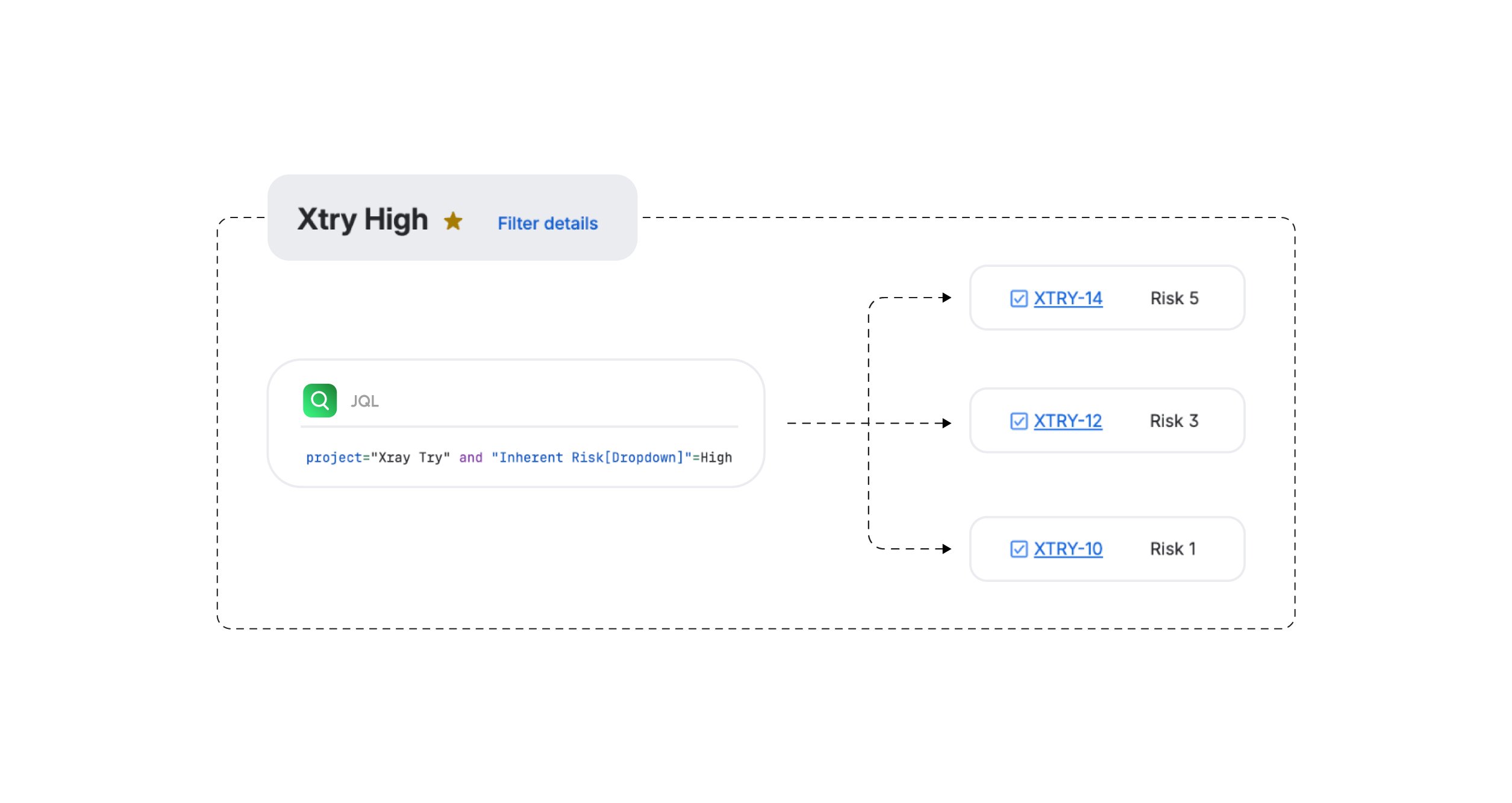
Risks are evaluated through configurable assessment models based on factors such as probability and impact. Risk scores can also be mapped to Jira custom fields, which allows teams to use JQL for test prioritization later in the process.
Establish mitigations and test coverage
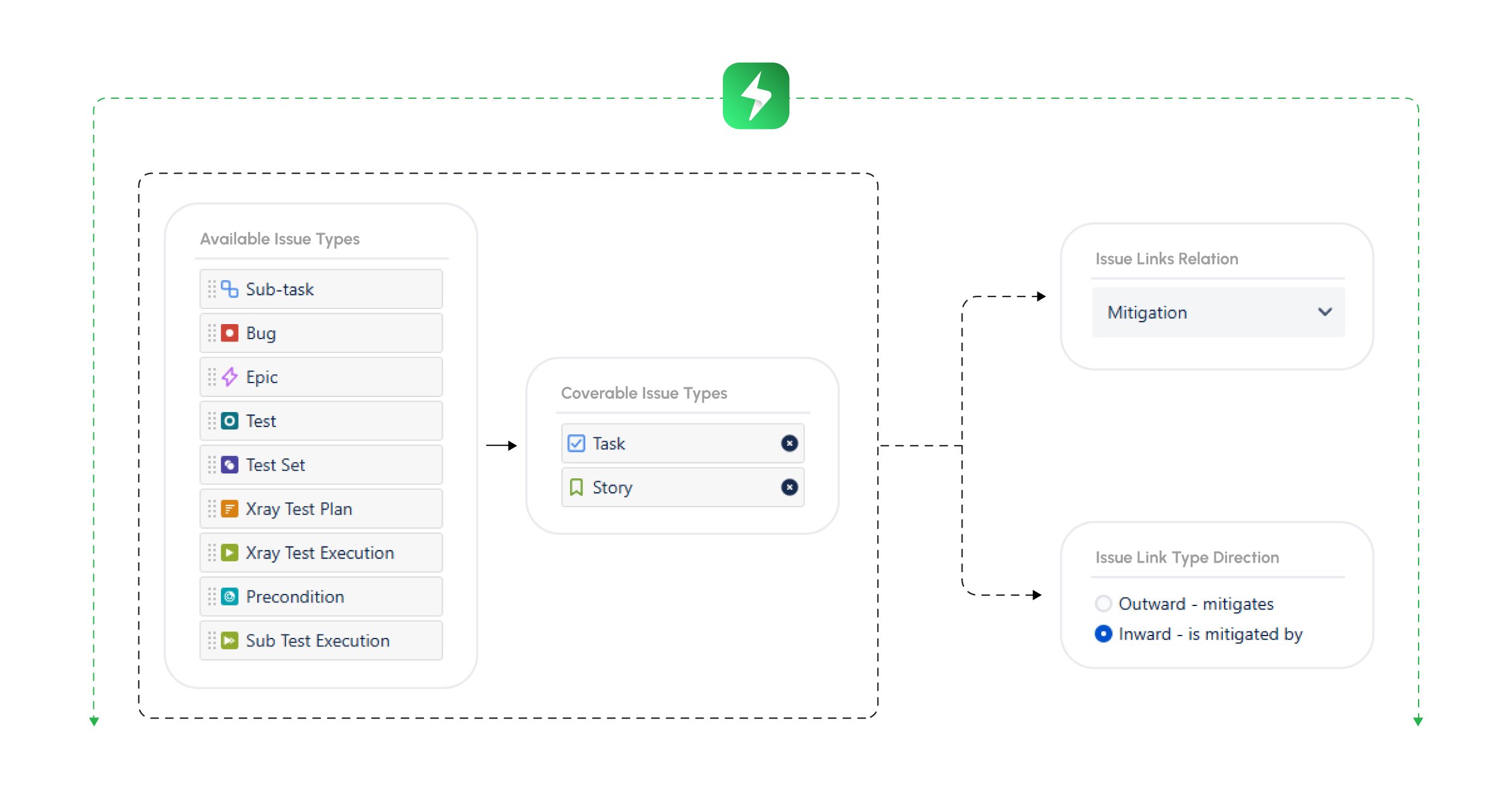
Once risks have been identified, teams define mitigation actions or controls to reduce risk exposure. These are usually represented as requirements or development tasks in Jira and linked to the corresponding risks.
Xray's Test Coverage configuration then helps define the relationship between risks, requirements, and tests. This creates the foundation needed to maintain traceability across the verification process.
Link and prioritize tests
Verification activities are managed in Xray. Test cases can be linked directly to mitigation actions or requirements, creating a clear connection between identified risks and the tests used to verify them.
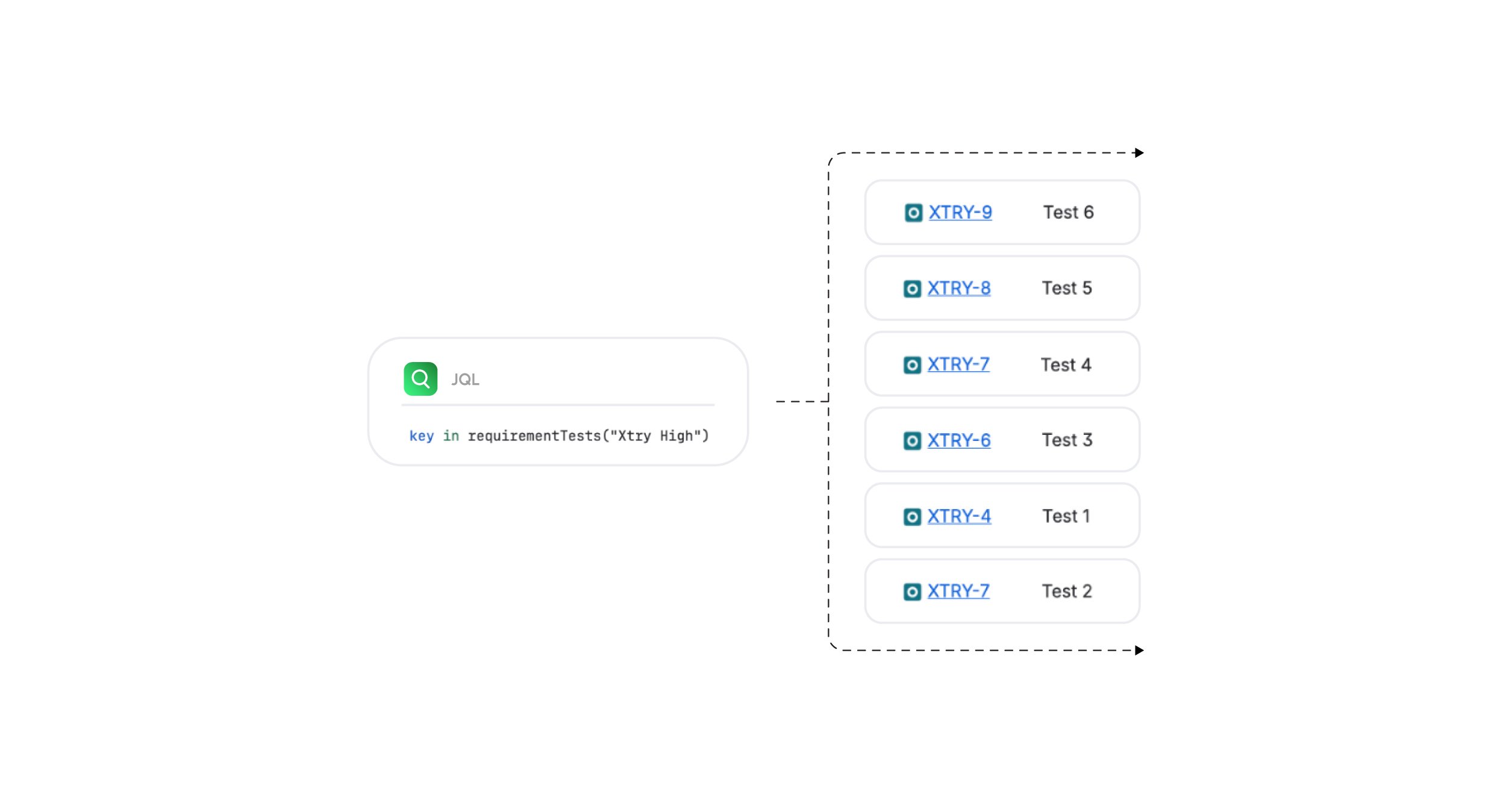
Teams can use JQL and Xray's requirementTests function to identify tests associated with high-risk items. This makes it easier to prioritize the tests connected to the areas where failures would have the highest impact.
Execute tests and monitor compliance
After prioritizing test cases, teams can execute tests in Xray and record results directly in Jira.
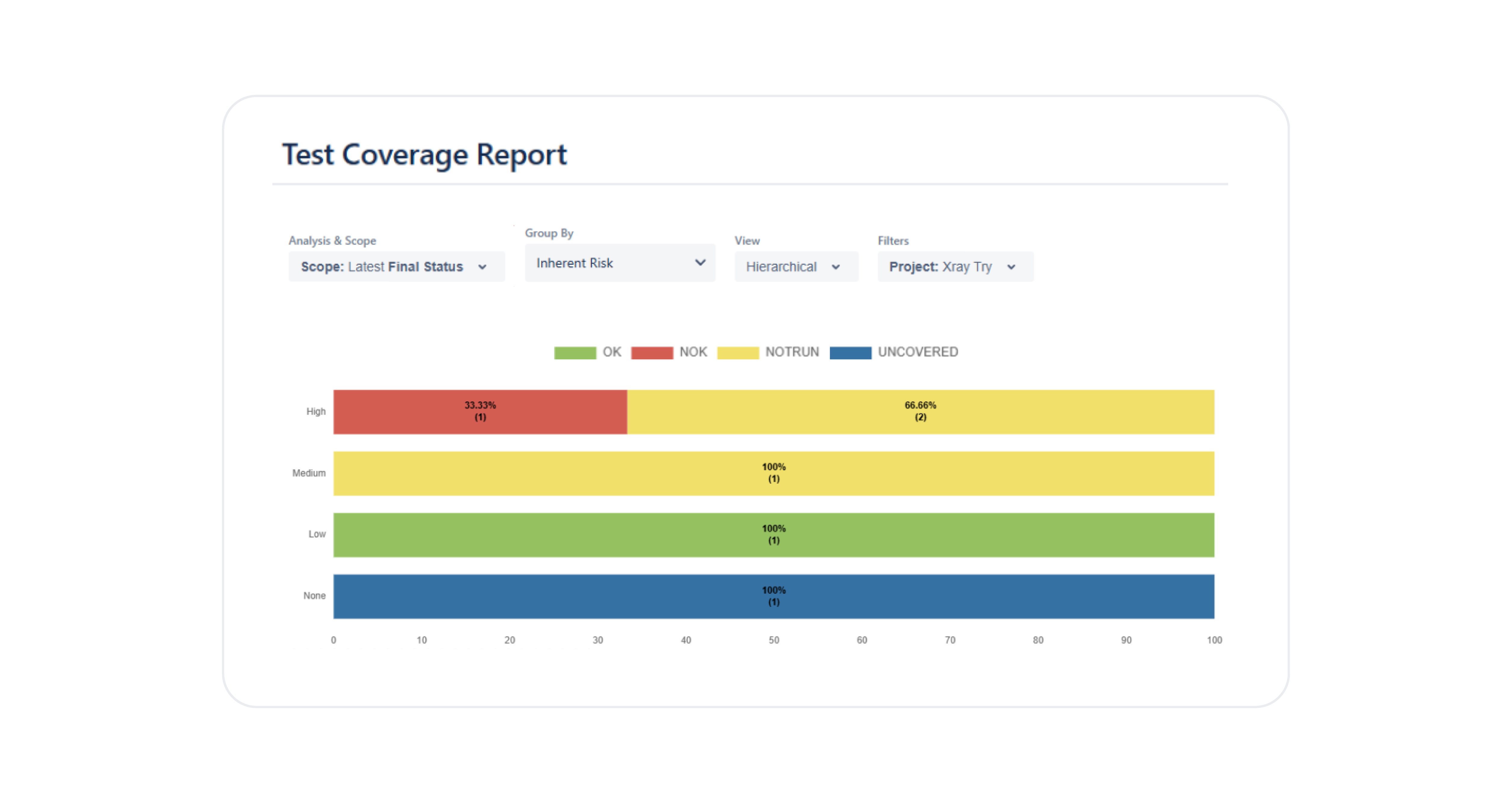
Reporting from both solutions helps teams monitor risk coverage and compliance readiness. SoftComply's Risk Matrix Report gives teams insight into current risk exposure and mitigation status.
Xray's Test Coverage Report shows testing progress and coverage. The Requirement Traceability Report helps demonstrate how requirements, risks, test cases, and execution results are connected.
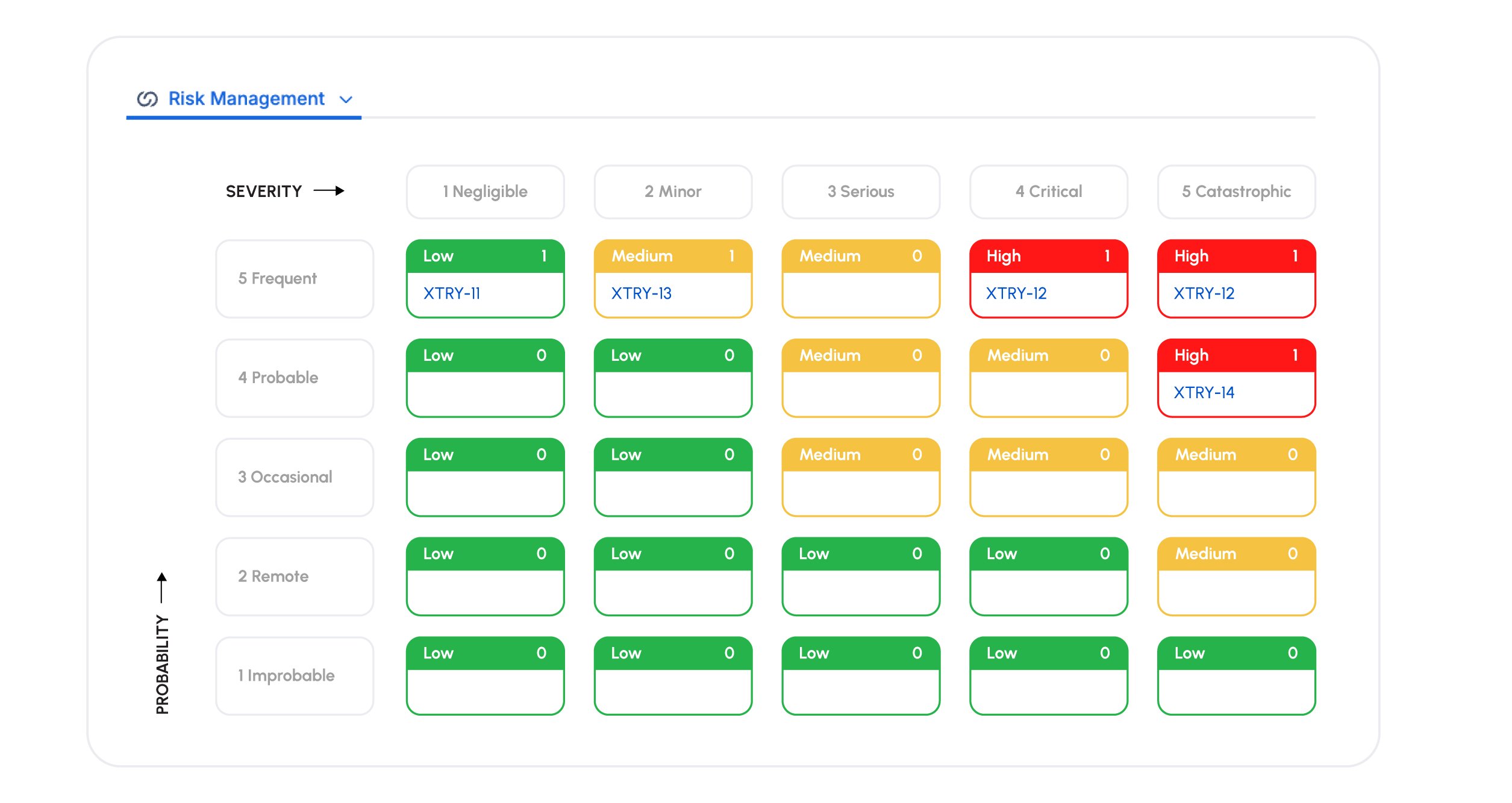
Together, these reports help teams identify gaps, monitor verification work, and prepare for audits.
Supporting compliance and release confidence
For regulated teams, testing is not only about finding defects. It must also show that risks have been identified, mitigated, and verified through a structured process.
SoftComply and Xray help maintain the documentation and traceability needed for audits, inspections, and regulatory reviews. This gives teams a clearer view of risk exposure throughout development.
Integrated risk-based testing workflows can also improve efficiency. Teams often report reductions of 20–40% in test planning effort and reduced audit preparation time after implementing risk-based test-traceability processes. Industry studies have also shown that risk-based testing approaches can reduce overall testing effort by up to 50% by focusing resources on the areas with the highest potential impact.
This also supports stronger release decisions. Instead of relying only on test completion metrics, teams can see which risks have been mitigated, tested, and verified before software reaches production.
Risk-based testing works best when risk management and testing activities stay connected.
Together, SoftComply Risk Manager Plus and Xray provide a unified Jira Cloud workflow that links risks, mitigation actions, requirements, test cases, and results.
Teams can achieve stronger traceability, clearer risk coverage, more focused test prioritization, and better support for compliance activities, and when handling regulated products, the integration helps ensure that what matters most gets tested first.
Want to learn more about risk-based testing principles and best practices? See SoftComply's guide to risk-based testing.